Getting your first Meta campaigns to work is an achievement. Keeping them working month after month, while costs shift, audiences tire and the platform keeps changing, is a different challenge. Advertisers who maintain momentum tend to do three things well: they automate routine work, analyze performance regularly, and keep experimenting with new opportunities.
This guide covers each of those three areas in detail, with practical steps you can apply to your own account.
Part 1: Automation and scaling
Meta’s automation tools take over repetitive tasks and use machine learning to make faster decisions than any person could manage manually. The goal isn’t to hand over control; it’s to free your time for strategy while protecting your budget and results.
Note that Meta renames and reorganizes features from time to time, so some options below may appear under slightly different names in Ads Manager.
1. Use automated rules for performance monitoring
Automated rules let Ads Manager check your campaigns on a schedule and take action when conditions are met. They act like a safety net that works around the clock. Useful rule ideas:
- Pause underperformers: pause an ad if its cost per result rises above your target after it has spent a minimum amount.
- Protect against runaway spend: send a notification if daily spend exceeds a set limit.
- Scale winners carefully: increase the budget by a small percentage when ROAS stays above a target for several days.
- Catch fatigue early: notify you when frequency passes a threshold.
- Stop broken ads: pause ads that are rejected, limited or have zero delivery.
Start with notification-only rules until you trust the logic, then move to automatic actions. Always include a minimum spend or time window so a rule doesn’t act on a handful of data points.
2. Implement campaign budget optimization
Campaign budget optimization, which Meta now labels Advantage campaign budget, lets you set one budget at the campaign level and have Meta distribute it across ad sets toward the best opportunities. Benefits:
- Spend flows to the ad sets delivering the best results without manual shifting.
- Less day-to-day budget management.
- Easier scaling, since you adjust one number.
Tips for using it well:
- Group ad sets with a similar purpose, audience size and expected cost under one campaign.
- Avoid mixing tiny test audiences with large proven ones, as the system may favor the larger one.
- Use spend limits on individual ad sets if you need to guarantee a minimum or cap a maximum.
- Give it time to learn before judging the distribution.
3. Leverage dynamic creative optimization
Dynamic creative optimization lets you supply multiple images or videos, headlines, descriptions and calls to action, and Meta automatically combines them and shows the best-performing mix to each person. It’s a fast way to learn which creative elements work. Meta’s newer Advantage+ creative tools can also apply enhancements automatically.
Best practices:
- Provide clearly different options, not minor variations, so the system has something meaningful to test.
- Review the breakdown reports to see which headlines and visuals win, then use those insights in future ads.
- Keep brand consistency by checking which automatic enhancements are turned on and turning off any that don’t fit your brand.
4. Set up automated bidding strategies
Bid strategy tells Meta how to spend your budget in the auction. Common options include:
- Highest volume (lowest cost): get the most results for your budget, with no cost target. A good default for most advertisers.
- Cost per result goal: aim to keep the average cost near a target. Useful when you have a clear maximum you can pay.
- Bid cap: set the maximum you’ll bid in any auction. This gives control, but can limit delivery if set too low.
- ROAS goal: aim to reach a minimum return on ad spend, for ecommerce advertisers with purchase data.
Start with the simplest option, then move to cost or ROAS controls once you have stable conversion data and know your targets.
5. Create custom automation rules and workflows
Beyond built-in rules, you can build your own routines to keep the account healthy:
- A weekly checklist for refreshing creatives, reviewing exclusions and updating audiences.
- Scheduled reports sent to you or your team, so numbers get reviewed regularly.
- Naming conventions that make it easy to filter campaigns, ad sets and ads.
- Third-party tools or the Marketing API for advanced advertisers who want custom alerts and dashboards.
A caution about automation
Automation amplifies whatever you give it. If your tracking is wrong, your creative is weak or your goals are unclear, automation will simply scale those problems. Check your pixel and Conversions API setup, define your success metrics, and review automated actions regularly.
Part 2: Performance analysis
Regular analysis turns data into decisions. Without it, you’re guessing which campaigns deserve more money and which should stop.
1. Track the right KPIs
Key performance indicators (KPIs) are the numbers that show whether you’re moving toward your goals. Choose a small set that match each objective:
| Goal | Core KPIs |
|---|---|
| Awareness | Reach, impressions, CPM, video watch time |
| Consideration | CTR, cost per click, landing page views, engagement |
| Conversion | Cost per lead or purchase, conversion rate, ROAS |
| Retention | Repeat purchase rate, customer lifetime value |
Avoid vanity metrics that look good but don’t connect to revenue, such as likes without any link to sales.
2. Monitor competitor activities
Understanding what others in your market are doing gives you ideas and helps you spot gaps. Use Meta’s Ad Library, which shows the ads that businesses are currently running. Look for:
- Which formats and creative styles they use repeatedly.
- The offers, hooks and calls to action they test.
- How long ads run, since long-running ads often suggest something is working.
- Seasonal patterns and promotions.
Use this for inspiration and positioning, not for copying. Aim to differentiate.
3. Analyze audience insights
Study who is actually responding to your ads. In Ads Manager, use breakdowns by age, gender, location, placement and device to see where results are strongest. Then:
- Shift budget toward segments with better cost per result.
- Build new lookalike or custom audiences from your best-converting groups.
- Adjust creative and messaging for segments that behave differently.
- Exclude segments that consistently underperform.
4. Review cost metrics
Watch how your costs move over time, and ask why. Key metrics include:
- CPM (cost per thousand impressions): rising CPM may signal more competition, audience saturation or lower ad relevance.
- CPC and CTR: a falling click-through rate often points to creative fatigue.
- Cost per result: the most important cost number for most campaigns.
- Frequency: high frequency with weakening results suggests it’s time for fresh creative.
Compare costs against your break-even point: the most you can pay to acquire a customer and still make a profit.
5. Assess ROAS trends
Return on ad spend shows how much revenue you earn for each unit of currency spent. Look at trends, not just single days:
- Compare week over week and month over month to filter out normal fluctuation.
- Break ROAS down by campaign, audience, creative and placement.
- Consider attribution settings, because the attribution window changes how conversions are counted.
- Pair ROAS with profit margin and customer lifetime value, since a lower ROAS can still be profitable if customers buy repeatedly.
Build a reporting rhythm
- Daily: quick check for spend, delivery problems and unusual spikes.
- Weekly: review KPIs, creative performance and test results.
- Monthly: deeper review of ROAS trends, audience insights and budget allocation.
- Quarterly: step back to reassess strategy, goals and the competitive landscape.
Part 3: Innovation opportunities
The advertisers who stay ahead keep exploring. Early experimentation can uncover cheaper reach and better results before everyone else catches on.
1. Test emerging ad formats
Meta regularly introduces new placements and formats. Set aside a small slice of budget to try them, such as newer video and Reels-style placements, interactive or augmented reality experiences, and messaging-based ads. Run them against your current best format using the same audience and budget so the comparison is fair.
2. Experiment with new targeting options
Targeting tools evolve, and some older options get removed. Try Advantage+ audiences or audience expansion against your manual targeting, test broader audiences with strong creative, and refresh lookalikes using your latest customer data. Compare the results on cost per result and quality of customers, not just volume.
3. Try different bidding strategies
If you’ve used lowest cost, test a cost-per-result goal or ROAS goal in a separate campaign. Change one thing at a time, and give each strategy enough time and conversions to prove itself before drawing conclusions.
4. Explore different optimization goals
The event you optimize for tells Meta who to show ads to. Options include link clicks, landing page views, leads, add to cart, purchases and conversation starts. Optimizing for a deeper event usually finds higher-intent people but needs more conversion volume. If you have few conversions, try optimizing for an earlier event, then move deeper as data grows.
5. Monitor Meta’s platform updates
Policies, features, privacy rules and best practices change often. Stay current by:
- Following Meta’s official business and advertising announcements.
- Checking the notifications and updates in Ads Manager.
- Joining reputable advertiser communities and newsletters.
- Reviewing your account after major changes, such as privacy updates that affect tracking.
How to innovate safely
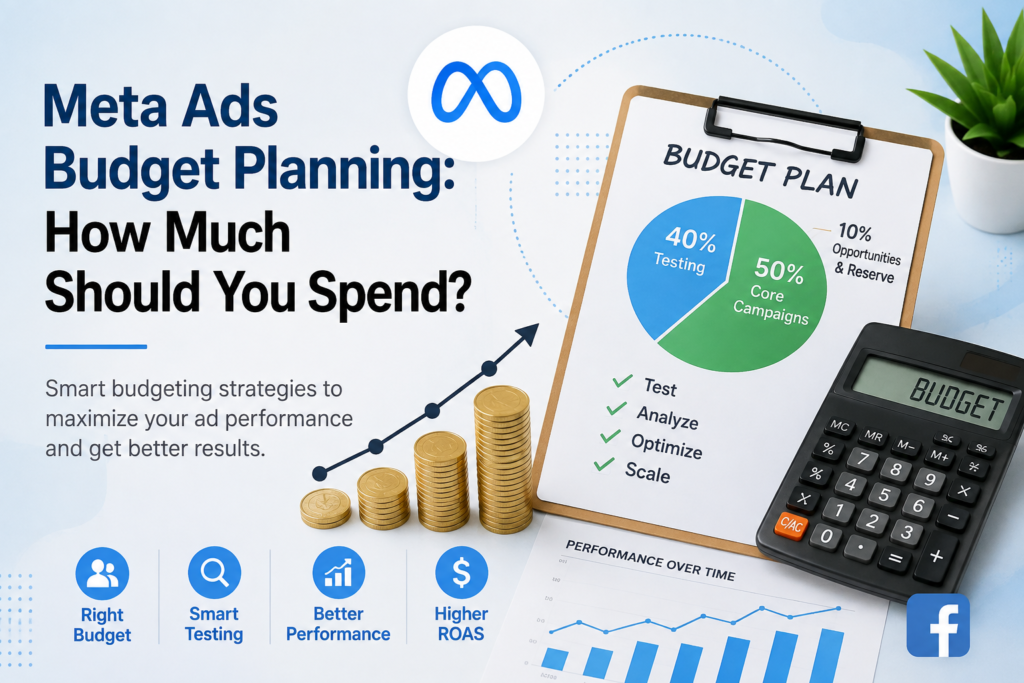
- Reserve a fixed share of budget for experiments, for example 10% to 20%.
- Write down a hypothesis, success metric and time frame for each test.
- Change one variable at a time.
- Document results so lessons carry over, whether the test wins or fails.
- Scale only after a result repeats.
Putting it all together: a monthly growth routine
- Week 1: review last month’s KPIs, ROAS trends and cost metrics. Decide what to scale, fix or stop.
- Week 2: update automated rules, refresh creatives and adjust budgets based on findings.
- Week 3: launch new experiments in formats, targeting, bidding or optimization goals.
- Week 4: analyze early test results, check competitor activity in the Ad Library and note any platform updates.
- Repeat, carrying the best learnings into the next cycle.
Common mistakes to avoid
- Over-automating too early: rules and bidding controls need reliable data first.
- Changing too much at once: you can’t tell what caused a result.
- Ignoring the learning phase: frequent edits can reset optimization.
- Chasing short-term numbers: a single day’s ROAS rarely tells the full story.
- Never testing: stable performance today doesn’t last forever.
- Copying competitors: use their ads for ideas, not templates.